Never ask the same candidate the same question twice.
A good candidate comes round more than once. RecruiterDesk keeps what you learned about the person (notice, buyout, joining date, CTC basis, relocation, work mode) and fills it in when you put them forward for another mandate. If they backed out last time, you see that too, with the role, client, round and date, before you call.
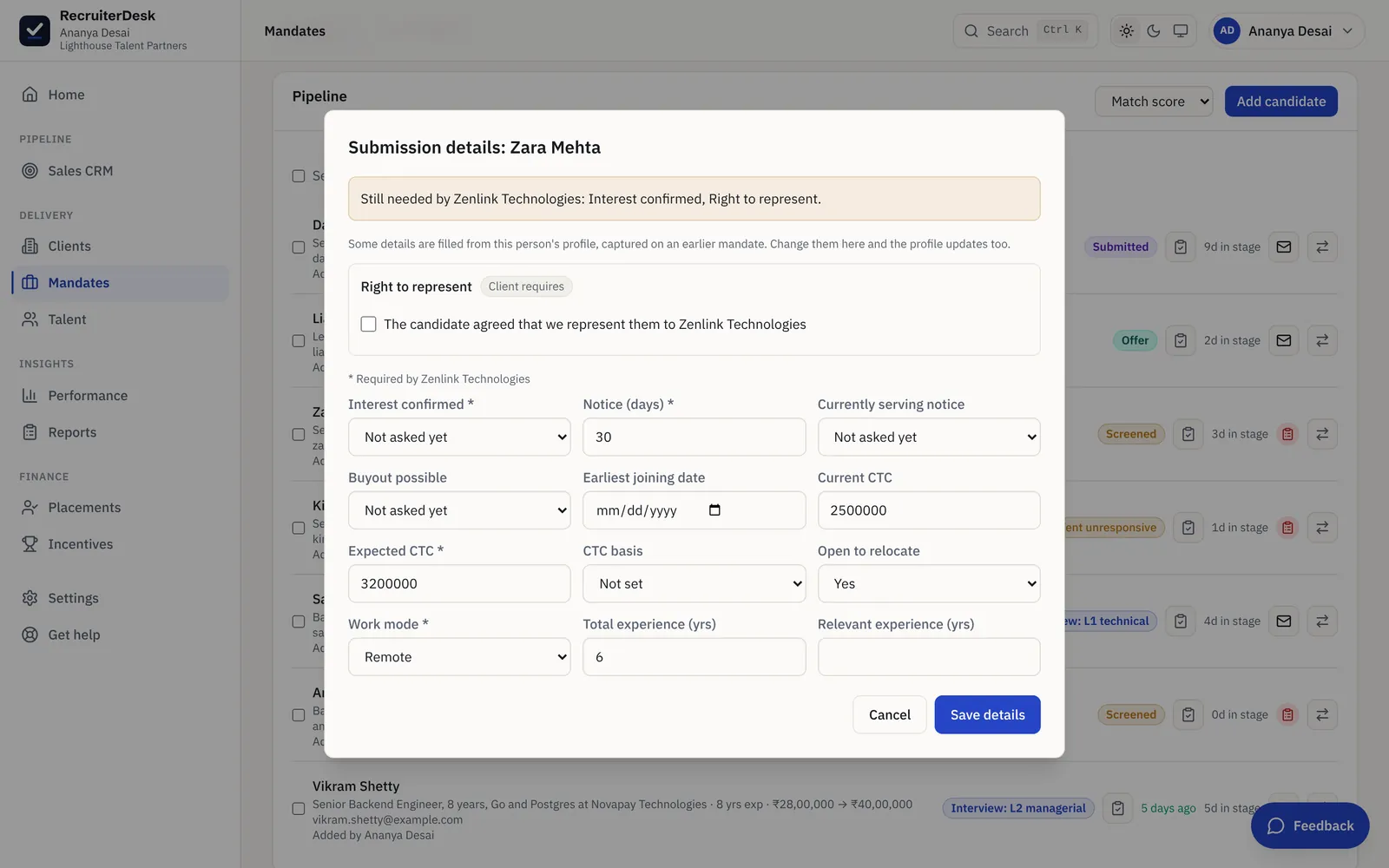
Asked on one mandate, ready on the next.
Ask the first time
On the first mandate, you capture what the client needs to know: notice, last working day, buyout, earliest joining date, CTC and its basis, relocation and work mode. It is entered in a popup over the pipeline or the candidate record, without leaving the page.
Kept on the person
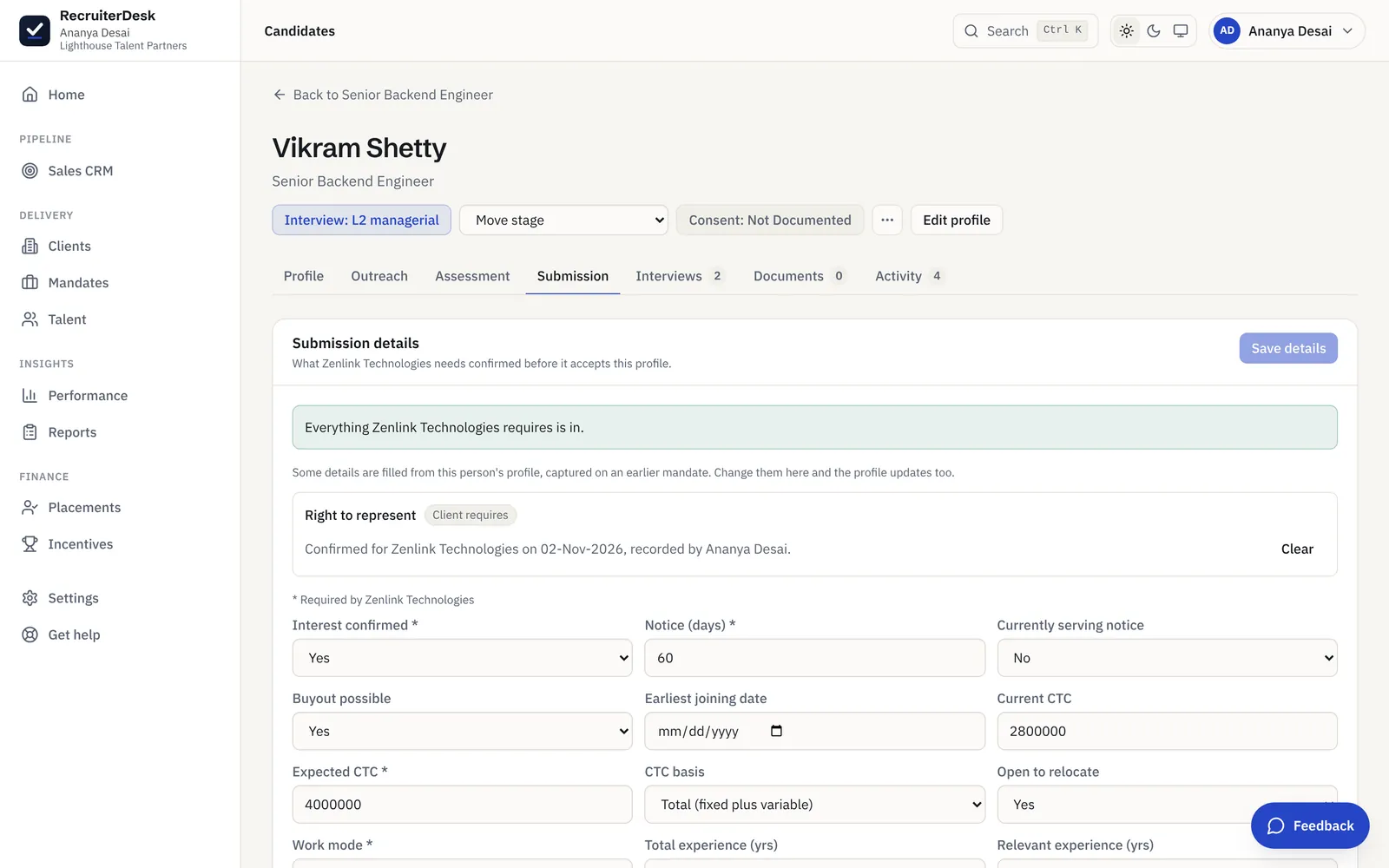
The details that belong to the person, rather than to one role, are saved to their talent profile, where a "Carried between mandates" card shows what is on file. Change a value on any mandate and the profile updates too.
Filled in next time
Put the same person forward for another mandate and those details are filled in already. You confirm what has changed instead of calling to ask the same questions again.
The person's details travel. The role's answers stay put.
Not every answer belongs on the profile. Facts about the person carry forward; answers about one role stay with that role, so nothing is assumed that was never said.
Carried on the person
Currently serving notice and the last working day, whether a buyout is possible, the earliest joining date, the CTC basis, openness to relocate and preferred work mode. These describe the person, so they follow the person to the next mandate.
Kept with the role
Interest in this particular role and relevant experience for it are answers about one mandate, so they stay on that mandate. A candidate keen on one role is not assumed keen on the next.
Right to represent, once per client
The candidate's agreement that you represent them is recorded once per client, with the date and who recorded it, and covers that person's other roles with the same client.
Fill the gaps where you are working.
Submission details open in a popup over the pipeline or the candidate record, never on a separate page. When a submission is held because the client's required details are missing, the popup asks for exactly those and offers Save and submit. Notice period, current and expected CTC and experience are edited in the same place.
- Only the missing details are asked for
- Save and submit in one step
- A change on the mandate updates the profile too
Know who backed out before, without a spreadsheet of names.
Counter-offers and late drop-outs are part of the job. When someone who walked away from an earlier mandate is added again, a "Before" chip says so, read from the record rather than from a tag someone remembered to type.
Where it shows
A "Before" chip appears wherever the person is added again: on the mandate pipeline, on the candidate record and on their talent profile.
What it says
The role, the client, the interview round they had reached and the date, so you know the context before you pick up the phone.
What counts
Only exits the candidate drove: withdrew, took another offer, accepted a counter-offer, went unresponsive or lost interest.
What never counts
A client's rejection is never shown as candidate history, and the chip never changes the fit score. It is context for the recruiter, not a penalty.
For the conversation itself, see the guide on stopping candidates dropping after the offer.
What reaches the client is your own work.
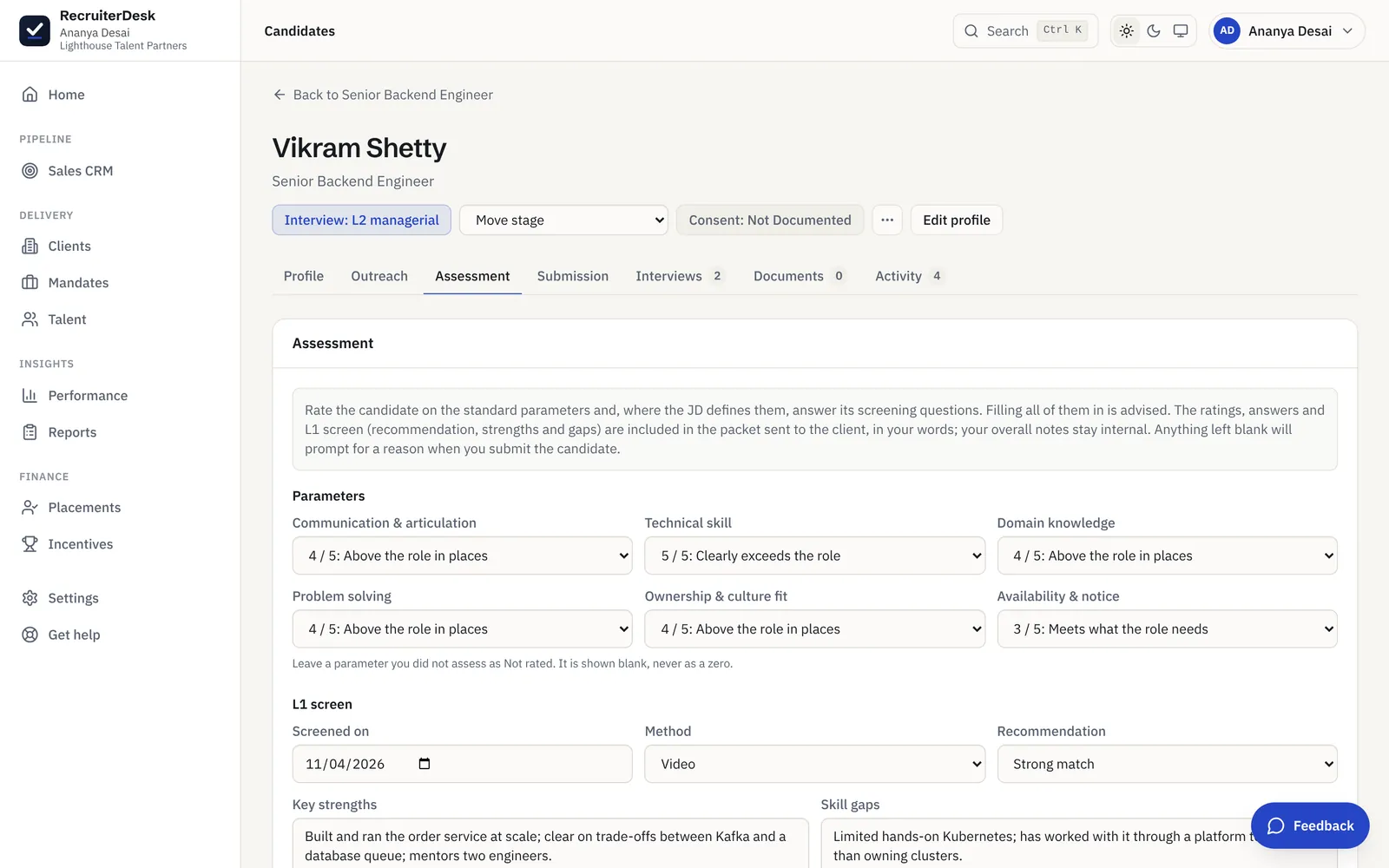
Everything client-facing in the submission is what you entered: the details, the ratings, the L1 screen and the recommendation. AI only assists, with an optional drafted note you edit before it is sent. You have the final say on what goes to a client.
- Ratings, strengths and gaps in your own words
- An optional AI draft, edited before sending
- Your internal notes stay internal
Candidate history across mandates, answered.
How do I stop asking a candidate the same questions for every role?
RecruiterDesk keeps the details that belong to the person on their talent profile: serving notice and last working day, buyout, earliest joining date, CTC basis, openness to relocate and work mode. When you put the same person forward for another mandate, those details are filled in automatically, so you only confirm what has changed. Answers that belong to one role, such as interest in that role and relevant experience, stay with the role.
Can I see if a candidate backed out of an earlier mandate?
Yes. If a candidate withdrew, took another offer, accepted a counter-offer, went unresponsive or lost interest on an earlier mandate, a "Before" chip shows wherever they are added again: the pipeline, the candidate record and the talent profile. It names the role, the client, the round they had reached and the date. It is read from the record itself, not from a tag someone typed.
Does a past drop-out lower the candidate's fit score?
No. The history is context for the recruiter and never feeds the fitment score. A candidate who took a counter-offer last year may be a strong fit today, and the score reflects the role, not the past.
Is a client rejection shown in the candidate's history?
No. Only exits the candidate drove are shown. A client passing on a profile says something about that client and that role, not about the candidate's reliability, so it is never surfaced as a "Before" chip.
How is right to represent handled across roles with the same client?
It is recorded once per client, with the date and who recorded it, and covers that person's other roles with the same client. A new client needs its own confirmation, because the agreement is to represent the candidate to that specific client.
Do I have to leave the pipeline to fill in submission details?
No. Submission details open in a popup over the pipeline or the candidate record. If a submission is held because the client's required details are missing, the popup asks for exactly those and offers Save and submit. Notice period, current and expected CTC and experience are edited in the same popup.
Who owns this candidate data?
Your workspace does. The carried details and the exit history are candidate personal data that your firm processes as the data fiduciary, with RecruiterDesk as the data processor. They sit on the person's record with the rest of their data, and are exported or erased with it.
Is this a paid add-on?
No. Carrying details between mandates, the candidate history chip and the submission details popup are included in every plan, like every other feature.
The rest of the candidate side of the desk.
Vendor submissions
Submit in each enterprise client's own tracker format, with a readiness gate and an L1 scorecard.
Learn moreCandidate database
Search everyone you have met, filter by tier and seniority, and rank your pool against a role.
Learn moreApplicant tracking system
Every open role on a pipeline, with the client's interview rounds shown on each candidate.
Learn moreInterview scheduling
Book an interview against the client's round, or let the candidate pick a slot from a no-login link.
Learn more- 7-day free trial The whole product, no credit card and no setup call.
- One flat price Every feature included, no per-feature upsells or tiers.
- Your data is yours Export it or delete it whenever you want.
Ask once. Remember it for every mandate.
Put a candidate forward, capture their details once, and see them filled in on the next role. Free for 7 days, no card.
- Person-level details carried between mandates
- A Before chip for past candidate drop-outs
- Submission details in a popup, with Save and submit
- Right to represent recorded once per client