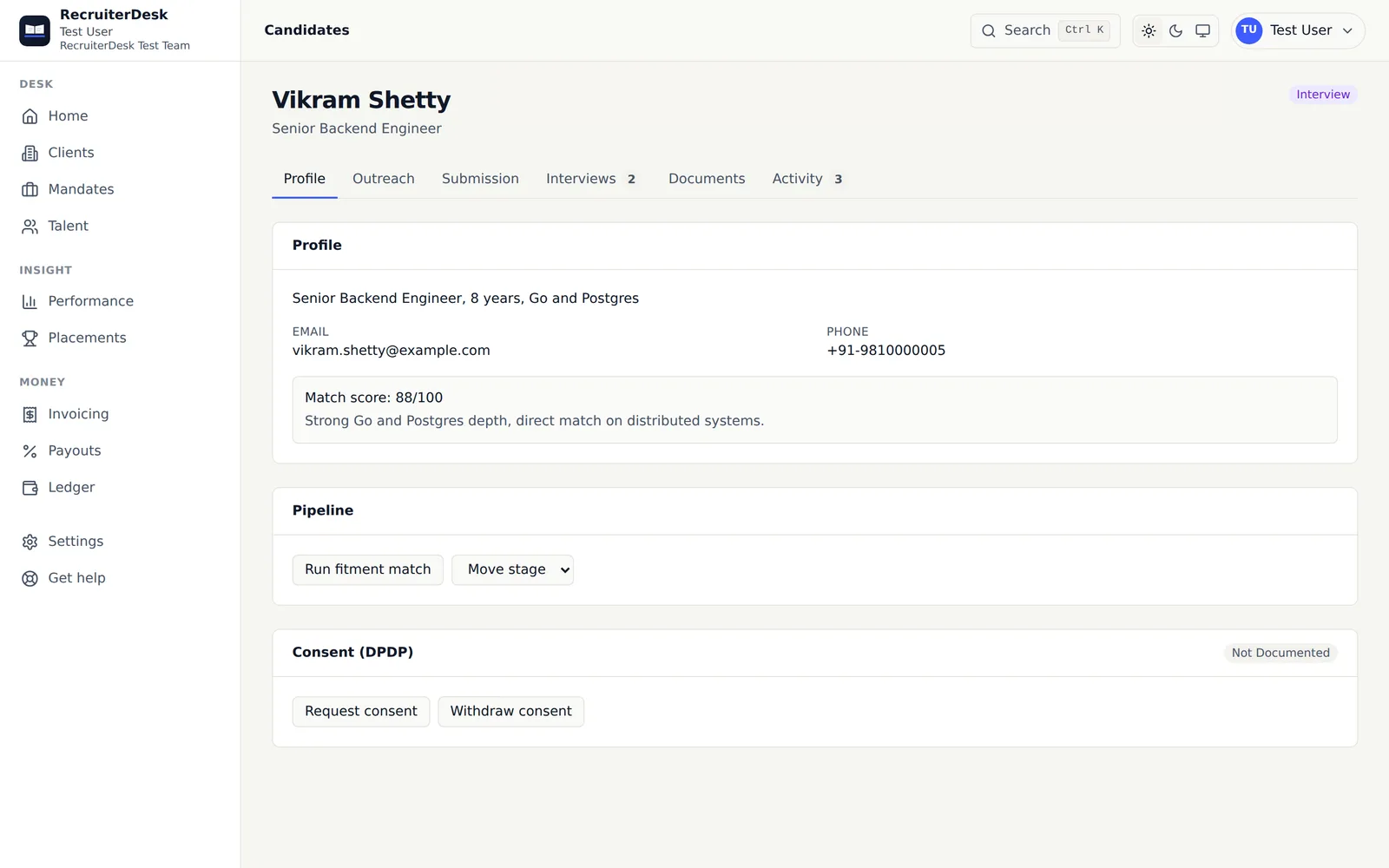
Turn years of resumes into a database you can search.
Drop a batch of CVs, or a ZIP of hundreds, and RecruiterDesk reads each one into a structured record: role, employer, location, experience, notice, skills and an inferred seniority. Everyone lands in your talent database, deduplicated and searchable, so the people you already know are a search away the next time a role opens.
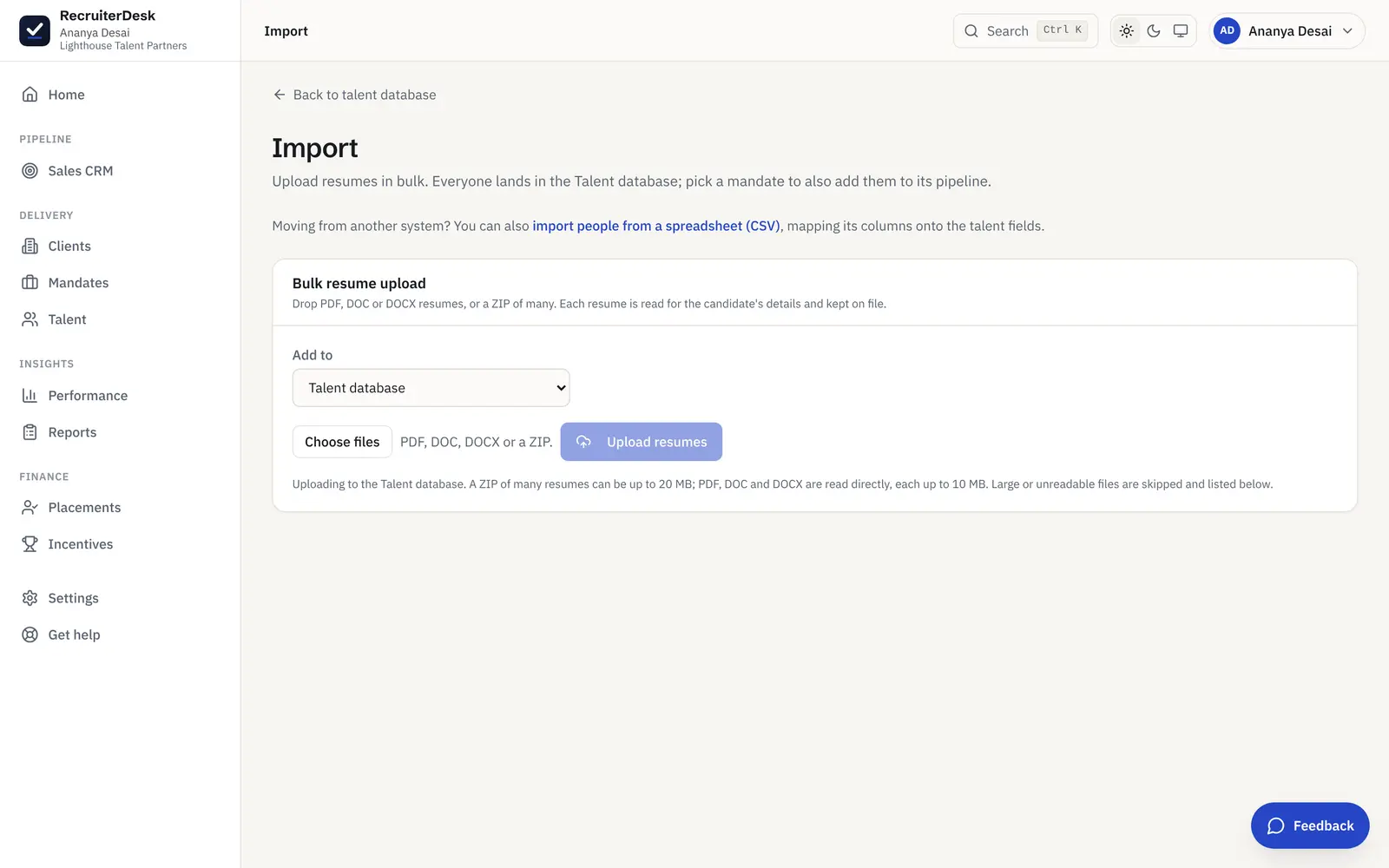
From a folder of CVs to a working pool, in three steps.
Drop the files
Upload a batch of resumes as PDF, DOC or DOCX, or a ZIP of many at once. A back catalogue of years comes in without opening each one by hand.
Each one is read
RecruiterDesk reads every resume for the candidate's details: current role, employer, location, experience, notice period, skills and an inferred seniority band, into a structured record.
It lands searchable
Everyone goes into your talent database, deduplicated on email and phone, so the same person is never added twice and you can find anyone by name, skill, employer or location in seconds.
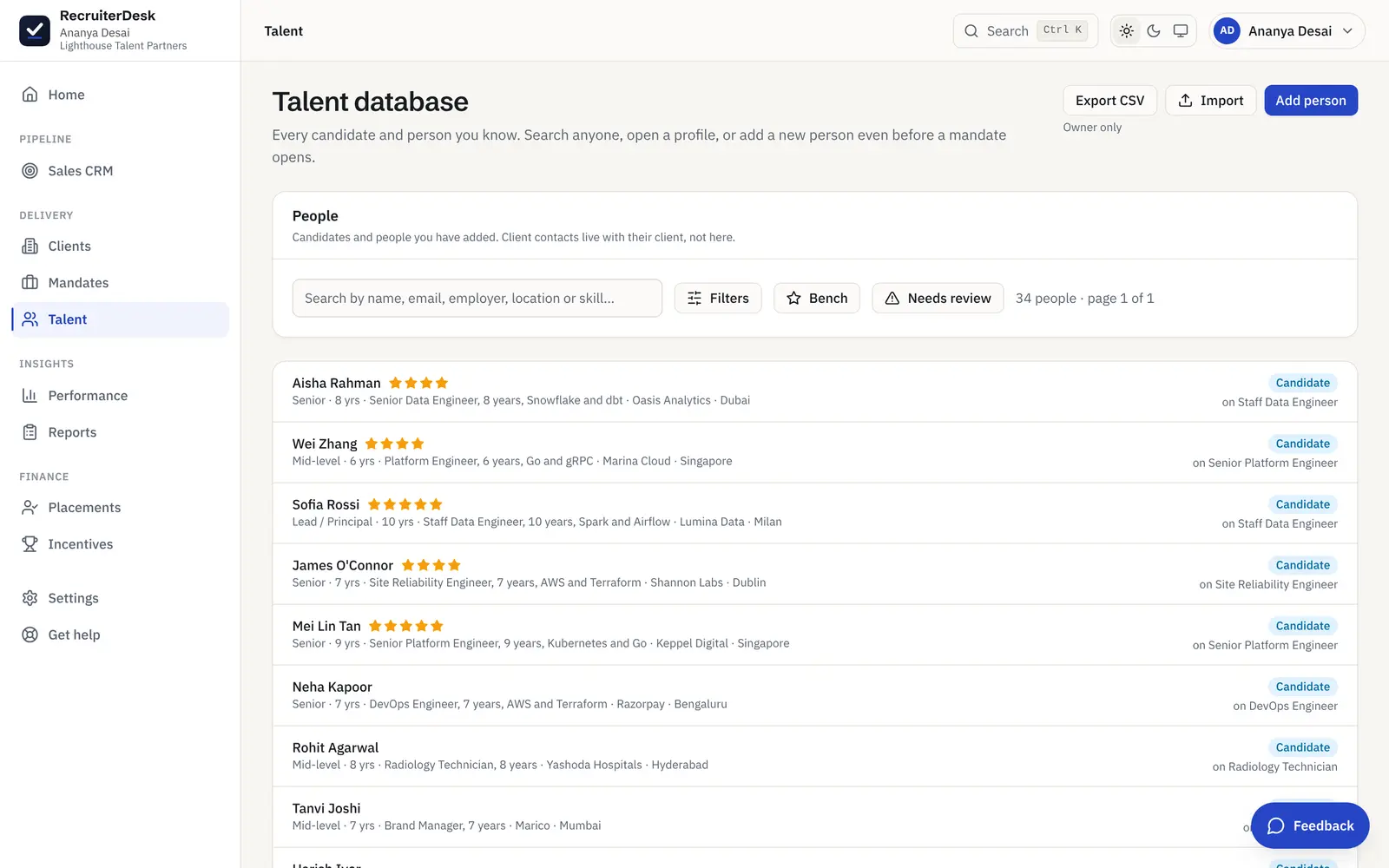
Everyone you know, findable in seconds.
An import is only worth it if you can use what comes in. Every person is searchable by name, skill, employer or location, and the filters narrow by experience band, expected CTC, notice period, talent tier and inferred seniority, so the next shortlist starts with people you already have rather than a cold search.
- Search by name, skill, employer or location
- Filter by experience, CTC, notice, tier and seniority
- A bench view for the strongest people you have met
Import that does the reading, not just the uploading.
PDF, DOC, DOCX or ZIP
Mixed formats in one go. A ZIP can hold hundreds of resumes; each readable file is parsed, and anything too large or unreadable is listed so nothing is lost silently.
Deduplicated on the way in
A new upload is matched against the people you already hold on email and phone, so re-importing a list updates records rather than creating a pile of duplicates.
Searchable and filterable
Once in, filter the database by skill, location, experience band, expected CTC, notice period, talent tier and inferred seniority, so the right shortlist is a search, not a scroll.
Ranked against a mandate
When a new role has a fitment checklist, the people already in your pool are ranked against it, so your first shortlist can come from candidates you already know.
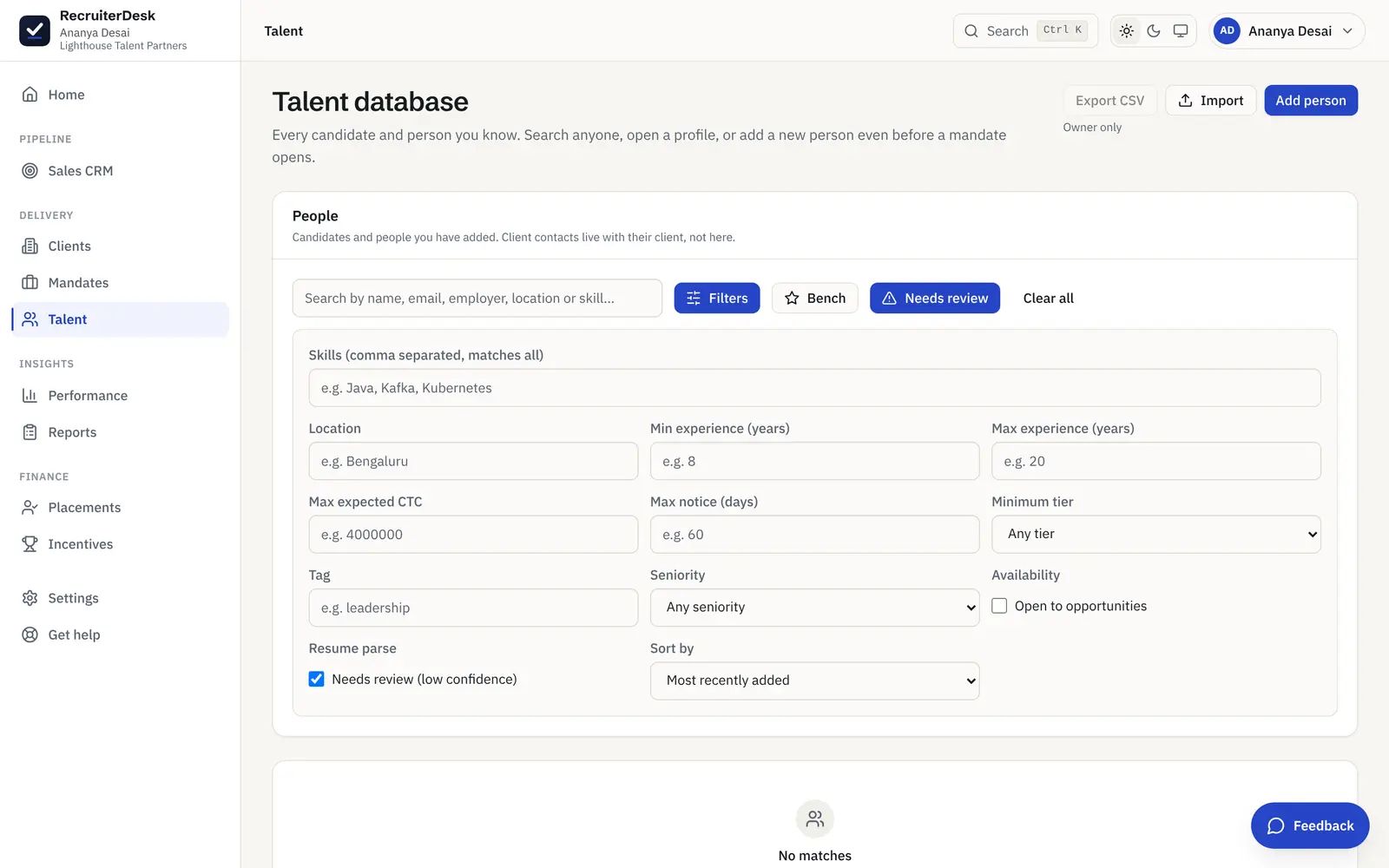
A review queue for the resumes that read badly.
Not every CV reads cleanly. A resume that parsed with low confidence is flagged with a Needs review badge and collected in its own queue, a filter on the talent database, so a sparse scan or a hard-to-read layout gets a one-tap re-parse or a quick human check instead of drifting into the pool with half its fields wrong. A clean import is the one you can trust later.
- Low-confidence reads flagged, not trusted silently
- A Needs review filter on the talent database
- One tap to re-parse or mark the record checked
Bulk resume import, answered.
How does bulk resume import work?
You drop a batch of resumes as PDF, DOC or DOCX files, or a ZIP of many, and RecruiterDesk reads each one into a structured candidate record: current role, employer, location, experience, notice period, skills and an inferred seniority band. Everyone lands in your talent database, deduplicated on email and phone, so a backlog of CVs becomes a searchable pool without manual data entry.
What file formats can I upload?
PDF, DOC and DOCX are read directly, and a ZIP can bundle many of them for a single upload. Large or unreadable files are skipped and listed back to you with a note, so you always know exactly what came in and what did not.
Does it create duplicate candidate records?
No. Each resume is matched against the people you already hold, on email and phone, so re-importing a list updates the existing record instead of adding a second copy. Your database stays clean as it grows.
Can I add people to a specific mandate while importing?
Yes. You can import to the talent database alone, or choose a mandate so everyone is also added to that role's pipeline in one step. Either way, every person is kept in the database for future roles.
Can I migrate candidates from a spreadsheet or another ATS?
Yes. Alongside resume upload, a guided spreadsheet importer takes a CSV export from a tool like Recruit CRM, Bullhorn or Zoho Recruit: you map its columns onto the talent fields, see a dry-run preview of what would be created, matched or skipped, then load the people with the same dedupe (on external id, email, then phone). A switching desk starts full on day one rather than rebuilding its database by hand.
What does it read from each resume?
The candidate's current role and employer, location, total experience, notice period and skills, plus a seniority band inferred from title, scope and years together. It also reports a parse confidence, so a sparse or hard-to-read resume is flagged for a human check rather than trusted blindly. The low-confidence reads collect in a Needs review queue on the talent database, where one tap re-runs the parse or marks the record checked, so a weak parse never slips into the pool unnoticed.
- 14-day free trial The whole product, no credit card and no setup call.
- One flat price Every feature included, no per-feature upsells or tiers.
- Your data is yours Export it or delete it whenever you want.
Bring your resumes in and start matching.
Drop a ZIP of CVs, watch each one become a searchable record, and shortlist from people you already know. Free for 14 days, no card.