Let a client check their hiring status without asking you.
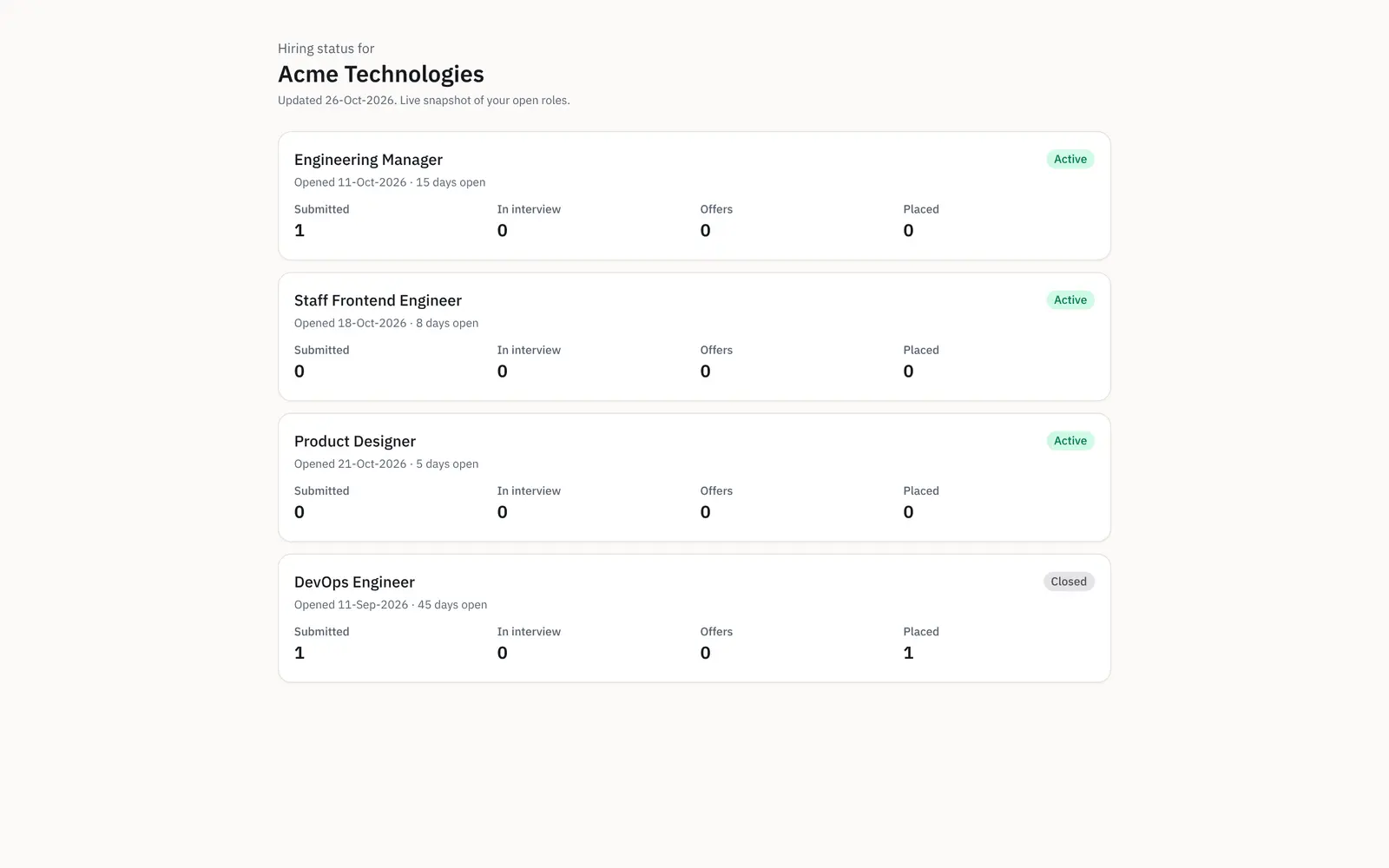
Give a client a read-only, no-login link to their open roles and the funnel on each: submitted, in interview, offers and placed, counts only and no candidate names. It reads from your live pipeline, so "how is it going" becomes a link they open, not a call you take again.
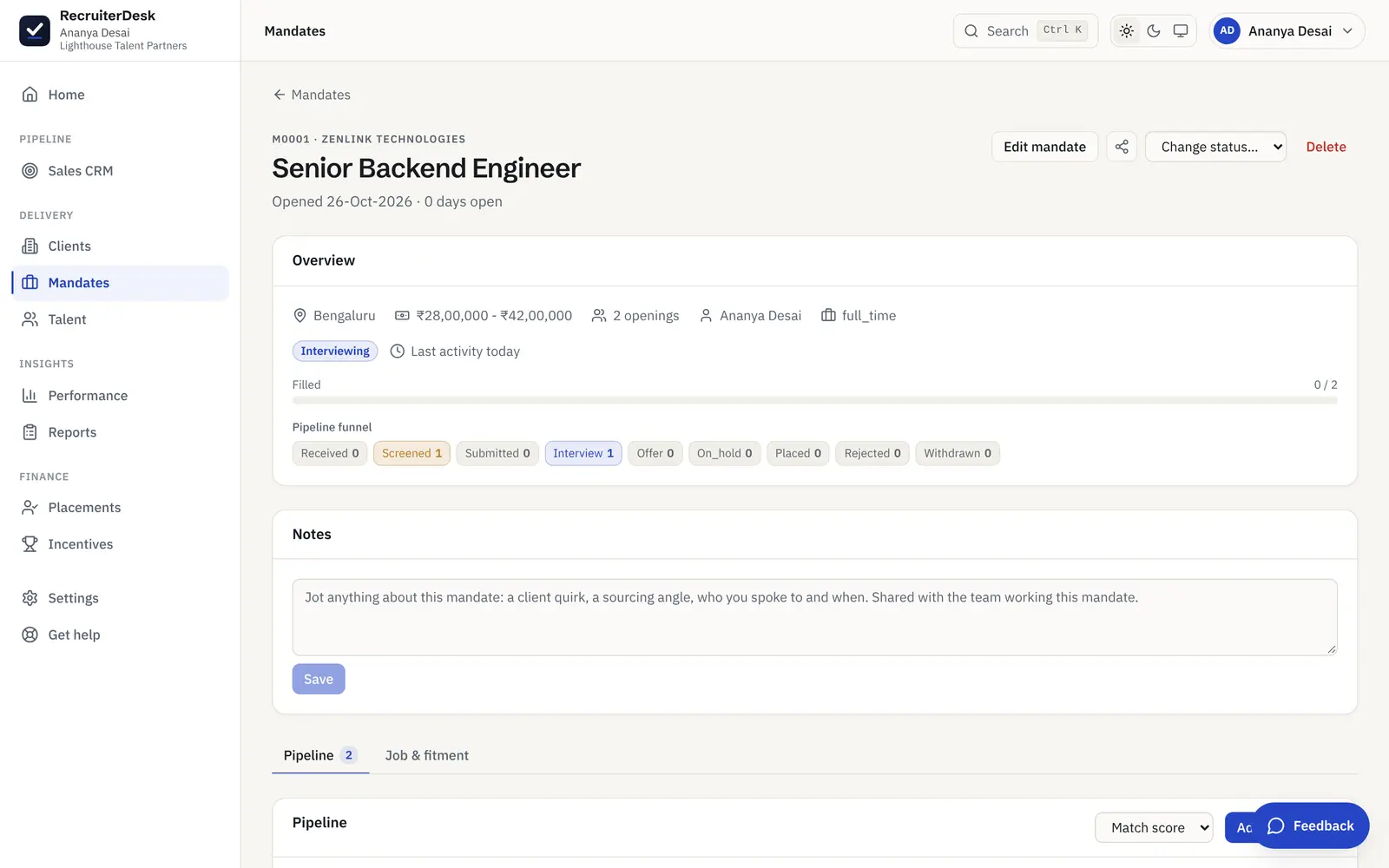
From a status call to a link, in three steps.
Turn on the link
Publish a read-only hiring-status link for a client from their record. It covers the roles you are working for them, with no account to set up on their side and nothing for you to assemble by hand.
Share it once
Send the no-login link to your client contact. They open it in a browser whenever they want a status, so a quick "where are we" stops being a call or an email you have to answer again.
It stays live
The page reads from your real pipeline, so the counts move as you work. The client sees the current picture each time they open it, not a snapshot you exported last week.
The shape of progress, with nothing internal on it.
Each role on the page shows its funnel, submitted, in interview, offers and placed, with when it opened, how long it has been open and whether it is active or closed. There is no candidate name, no note and no fee anywhere on it, so you can share the link freely and the client still reads exactly how their roles are moving.
- A submitted, interview, offer and placed count per role
- Opened date, days open and active or closed status
- Never a candidate name or anything internal
A status a client can read without you in the room.
A funnel on every role
Each open role shows the counts that matter: submitted, in interview, offers and placed. The client reads progress at a glance, role by role, without a spreadsheet or a status deck.
Counts only, never names
The page shows numbers and role status, never a candidate name, note or resume. Your pipeline stays yours, and the client gets the shape of progress without the people in it.
Opened, days open and status
Every role carries when it opened, how many days it has been open and whether it is active or closed, so a client can see which roles are moving and which have been running a while.
Read-only and no login
The link is view-only and needs no account. There is nothing for the client to edit and nothing for them to sign up for, so sharing a status costs you one link and no setup.
Or let the update arrive on its own.
A weekly report by email
Opt a client in to a branded hiring-status report by email, sent on the day and hour you set. It lists the candidates shared so far and where each one stands, so an update arrives without you writing it.
In the client's own timezone
The weekly send fires on the client's own timezone, fixed at setup, so a desk and a client in different zones both read "this week" the same way and the report lands at a sensible local hour.
Download it to send by hand
The same report downloads on demand, so you can attach it to an email or carry it into a review meeting whenever you want, not only on the scheduled day.
Fewer status calls
Between the live link and the weekly email, a client can self-serve the answer to "how is it going", so your update time goes into the roles rather than into recapping them.
The status link is one of the public surfaces.
Client shortlist review
Share a shortlist on a no-login link and get a yes, maybe or pass on each candidate, back on the mandate.
See the review linkRecruitment CRM
The client side on the same desk: a prospect pipeline, full client records, and the hiring-status link.
See the CRMBranded application page
A no-login, branded apply page per role, with consent up front and every applicant landing on the mandate.
See the apply pageThe client hiring-status link, answered.
What is a client hiring-status page?
It is a read-only, no-login link you give a client that shows their open roles and the funnel on each: submitted, in interview, offers and placed, with when the role opened, how long it has been open and whether it is active or closed. It reads from your live pipeline, so the client sees the current picture whenever they open it, without a candidate name or any internal detail.
Does the client see candidate names?
No. The hiring-status page shows counts and role status only, never a candidate name, note, resume or fee. It is the shape of progress, not the people in the pipeline, so you can share it freely with a client without exposing who you are working or anything internal to your desk.
Does the client need a login?
No. The page is a no-login link the client just opens in a browser. There is no account to create and nothing for them to edit, since the page is read-only. It is deliberately a status link rather than a client portal, alongside the no-login shortlist review link.
Can I send a client a regular status update automatically?
Yes. You can opt a client in to a branded weekly hiring-status report by email, sent on the day and hour you set in the client's own timezone. It lists the candidates shared so far and where each one stands. You can also download the same report at any time to send by hand or bring into a review meeting.
How is this different from the shortlist review link?
The shortlist review link is for a decision: the client marks each candidate shortlisted, maybe or passed. The hiring-status link is for a picture: it shows the funnel across their roles, with counts only and no names. They are two separate no-login client surfaces, and many desks use both, one to collect verdicts and one to share progress.
Does the status update on its own?
Yes. The page reads from your real pipeline in RecruiterDesk, so as you submit, interview, make offers and place, the counts move with the work. The client sees the live picture each time they open the link, rather than a figure you exported and that is already out of date.
More on working with clients: client shortlist review and reports and analytics.
- 14-day free trial The whole product, no credit card and no setup call.
- One flat price Every feature included, no per-feature upsells or tiers.
- Your data is yours Export it or delete it whenever you want.
Share a status, not your pipeline.
Give a client a read-only link to their open roles and the funnel on each, counts only and no names, plus an optional weekly report. Free for 14 days, no card.