A Naukri workflow for recruiters
How Indian recruiters run a clean workflow around Naukri: source on Naukri, then run mandates, fitment, submissions and candidate data in one desk.
Ask a recruiter in India where they find candidates and the answer is almost always the same: Naukri, first and most. Info Edge’s database and its recruiter products, Naukri Recruiter, RMS and Resdex, are where a very large share of Indian sourcing happens every day. That is not in question. What trips up a growing desk is the next step. Because Naukri is where the candidates are, it quietly becomes where the whole desk lives too: shortlists in folders, status in tags, commitments in the inbox. That works for a while, and then it does not.
This guide is about the workflow around Naukri, not a pitch to replace it. Nobody is moving off Naukri for sourcing, and no tool should pretend otherwise. The question is what happens to a candidate after you find them, and how to keep the mandate, the fitment and the record somewhere built to hold them. For the head-to-head view of Naukri used as a CRM, the RecruiterDesk versus using Naukri as your CRM page sits alongside this; here the focus is the practical workflow.
The short answer
Source on Naukri, then run the rest of the desk somewhere built for it. Bring the candidates you shortlist into a recruitment CRM by bulk resume import, score them against a fitment checklist for the mandate, submit from there, and keep the candidate data under proper consent and export controls. Naukri stays your sourcing engine. The desk holds the mandate, the pipeline, the submission and the money.
The reason to split the two is simple: a sourcing tool is built to help you find people, not to run several clients and mandates at once. The moment you are juggling more than a couple of roles, the folders-and-tags method starts costing you placements, and most of the cost is invisible until you add it up.
Where the Naukri-only workflow breaks
Walk a normal week on a desk that runs entirely inside Naukri. You search Resdex, you shortlist into a folder per role, you message candidates, and you track who replied in tags or a side spreadsheet. For one or two mandates, that is fine. At five or six, the cracks show in the same places every time.
- There is no real pipeline. A folder is a list, not a set of stages. You cannot see at a glance who is sourced, screened, submitted, interviewing or at offer across all your mandates, so candidates silently slip between stages and a role that was one call from closing goes cold.
- There is no fitment bar. You judge each candidate against the brief by feel, under time pressure, which is exactly when the salary, notice-period and must-have checks get skipped. The rejection you could have caught lands after submission instead of before.
- The submission is a forwarded resume. No scorecard, no reasoning attached, no record of what you sent and when. When the client asks why this candidate, the answer is in your memory.
- The record is fragile. Status lives in tags and your head. A candidate you worked three months ago is hard to find, and when a Naukri subscription lapses or a team member leaves, the history can go with it.
- The data is hard to govern. Candidate personal data sitting inside a sourcing account has no clean consent trail and no simple way to export or erase on request. Under the DPDP Act, that is a real responsibility, not a formality.
None of this is a failing of Naukri. It is a sourcing product doing its job well, being asked to do a different job it was never built for.
The honest truth about “Naukri integration”
Recruiters often search for recruitment software that “integrates with Naukri”, hoping for a button that syncs the database into their ATS. It is worth being clear, because some tools imply more than is real: there is no open, account-level Naukri API that most recruitment tools can plug into to pull your Resdex results automatically. Naukri controls access to its database, and that is by design. Be cautious of any tool that claims a seamless two-way Naukri sync, because it usually is not what it sounds like.
What does work, reliably and within the rules, is moving the candidates you actually shortlist. You download a resume from Naukri, or export a shortlist, and bring those files into your desk by bulk resume import. A tool that parses resumes reads each file into a structured candidate record, pulls out the details, and matches duplicates on email and phone so you do not end up with the same person three times. That is the real “integration”: not a background sync of the whole database, but a clean, deliberate way to bring across the people you choose to work. It is also the safer model, because you are moving the handful of candidates you are actively placing, not copying a database you have no basis to hold.
A workflow that keeps Naukri and adds the desk
Here is the shape of a workflow that uses each tool for what it is good at. It is the same five steps most strong desks settle into once they stop trying to run everything in one place.
- Source on Naukri, as you already do. Search Resdex, post the role if you need to, and build your shortlist. This is Naukri’s strength and there is no reason to change it.
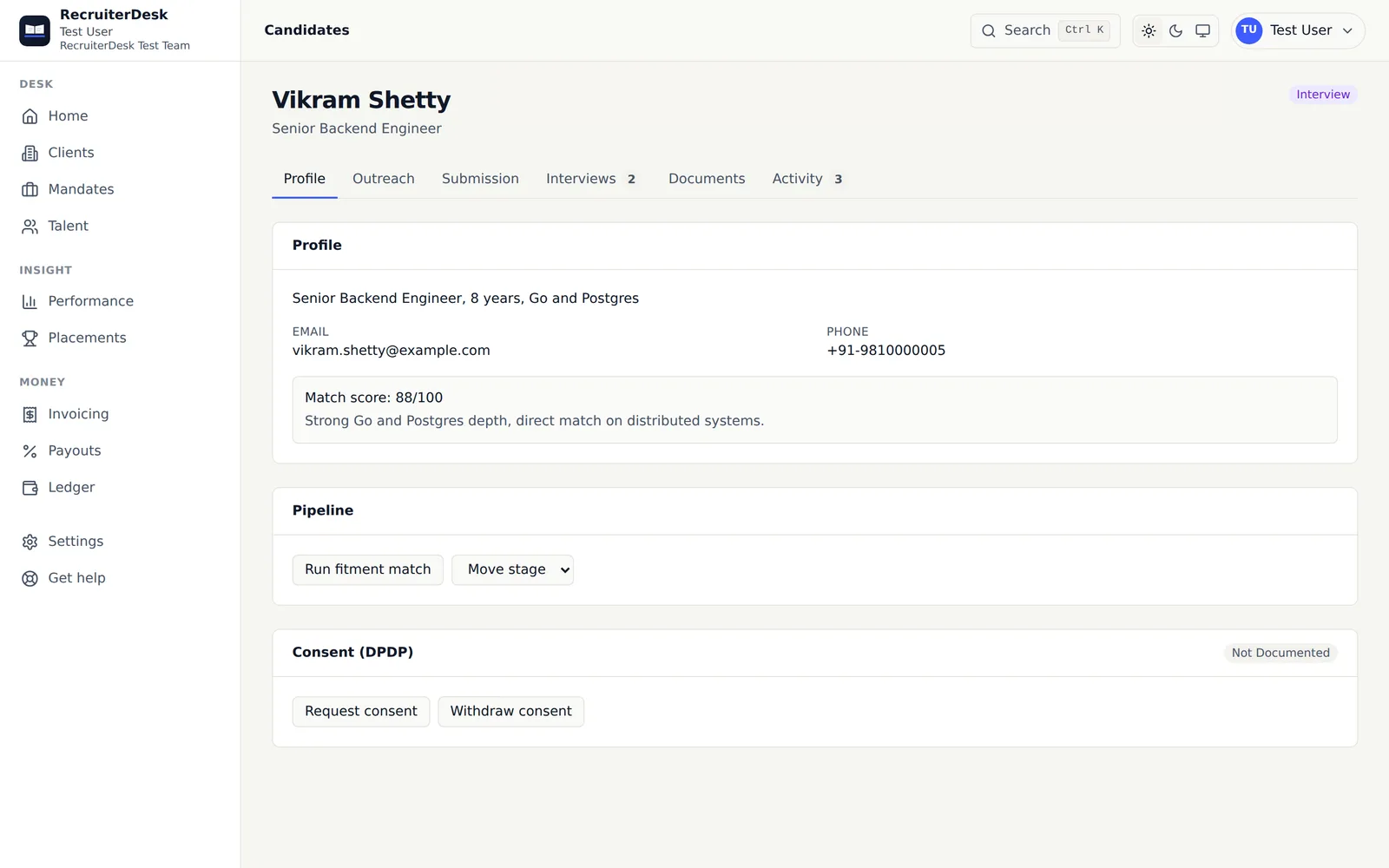
- Bring the shortlist into the desk. Download or export the resumes you shortlist and drop them into your recruitment CRM by bulk import, as PDF, DOC, DOCX or a ZIP. Each becomes a candidate record, deduplicated, with the parsed details ready to work. Your candidate now lives somewhere with a pipeline, not in a folder.
- Score against the mandate’s fitment checklist. Turn the client’s brief into weighted must-haves, nice-to-haves and hard knockouts once, and let each candidate be scored against it. This is the step the Naukri-only workflow cannot do, and it is the one that stops a wrong submission. The method is in the guide on how to read a JD and build a fitment checklist.
- Submit from the desk, with the reasoning attached. Send a clean, branded submission and let the client say yes, maybe or pass, with the verdict landing back on the mandate. Now you have a record of what went out, to whom, and why.
- Track, place and settle in one place. Move candidates through real stages, chase follow-ups on a reminder rather than from memory, and when the role closes, raise the fee and, on a team, settle the payout. The pipeline, the history and the money are all in the desk, not spread across a job board, an inbox and a spreadsheet.
The point of the split is that nothing depends on remembering a conversation or keeping a Naukri subscription open to find your own history. Naukri does the sourcing. The desk does the rest, and it keeps doing it after the candidate has moved on.
Keeping candidate data accountable
There is a compliance angle to this split that is easy to miss and worth stating plainly. When all your working candidate data lives inside a sourcing account, you cannot cleanly answer a candidate who asks what you hold, or asks you to delete it. You also cannot easily prove consent for how you are using their details. The DPDP Act treats a recruiter holding candidate personal data as responsible for it, so “it is in my Naukri folder” is not a position you want to defend.
Bringing the candidates you actively work into a desk with per-person consent, export and erasure, and an audit trail, turns that from a risk into something routine. You hold the people you are placing in a system built to govern that data, and you leave the broad sourcing database where it belongs, with Naukri. The guide on DPDP for recruiters in India covers what that responsibility actually involves.
Choosing the desk to run alongside Naukri
If you are picking the tool that sits next to Naukri, the checklist is short. It should import resumes in bulk and deduplicate them, so bringing a shortlist across is fast. It should hold clients, mandates and a real pipeline, not just a candidate list. It should gate submissions on a fitment checklist. It should give the client a clean way to respond. And it should handle candidate data under DPDP with export and erasure. For a small agency specifically, the guide on recruitment software for a small agency in India walks the wider choice.
RecruiterDesk is built for exactly this: the desk you run after sourcing. It does not connect to your Naukri account automatically, and it does not try to replace Naukri for finding candidates. What it does is take the resumes you shortlist, by bulk import, and give them a mandate, a fitment score, a submission and a home that respects the data. You can start free, with no card, and see the price in your own currency on the pricing page. Keep sourcing on Naukri. Run the desk somewhere that was built to be one.
Frequently asked questions
Is there recruitment software that integrates with Naukri?
Most recruitment tools do not have an automatic, account-level integration with Naukri, and you should be careful of any that claim one, because Naukri controls access to its database. The practical and reliable way to move candidates is to download or export the resumes you shortlist on Naukri and bring them into your desk by bulk resume import, where each is read into a structured candidate record and duplicates are matched on email and phone.
Can I use Naukri as my CRM?
You can until you are running several mandates at once. Naukri folders and tags hold a sourcing shortlist, not a pipeline, a weighted fitment bar, a submission history or a client view, and your candidate data sits inside a sourcing account you do not fully control. Most recruiters keep Naukri for sourcing and run a separate desk for everything after it. The detail is on the RecruiterDesk versus using Naukri as your CRM page.
How do I move a shortlisted candidate from Naukri into my recruitment software?
Download the resume from Naukri, or export your shortlist, and drop the files into your desk as PDF, DOC, DOCX or a ZIP. A tool with bulk resume import reads each into a candidate record with the parsed details, and matches duplicates on email and phone so the same person is not created twice. From there you run the mandate, the fitment scoring and the submission in the desk, not in the Naukri inbox.
Does RecruiterDesk replace Naukri?
No. Naukri is a job board and resume database for sourcing. RecruiterDesk is the desk you run after sourcing: clients, mandates, a pipeline, a fitment checklist and submissions. Keep Naukri for what it is best at and bring the candidates you shortlist into RecruiterDesk by bulk resume import.
Is it safe to keep candidate data in a Naukri account?
For sourcing, that is where it lives. For the candidates you are actively working, personal data sitting only inside a job-board account is hard to export, consent and erase on request, which matters under the DPDP Act. Holding the people you are placing in a desk with consent, export and erasure keeps that data accountable and yours.